
How Does a Touchscreen Change Daily Laptop Use?
Ask what a touch screen actually changes on a laptop and the honest answer is: quietly, and more than expected. Nothing about the work itself is different, and yet a dozen small moments in the day go differently: the way a page is moved, the way a note is taken, the way something is shown to someone else. The trackpad remains the workhorse, but the screen becomes a second surface that is closer to what your eyes are doing, and the habits of a decade of phones transfer to it without instruction. Three everyday scenarios show where the difference lives, and each one costs the same thing: a smaller gap between seeing something and doing something about it.
Browsing and Reading
Finger Scrolling and Pinch-to-Zoom
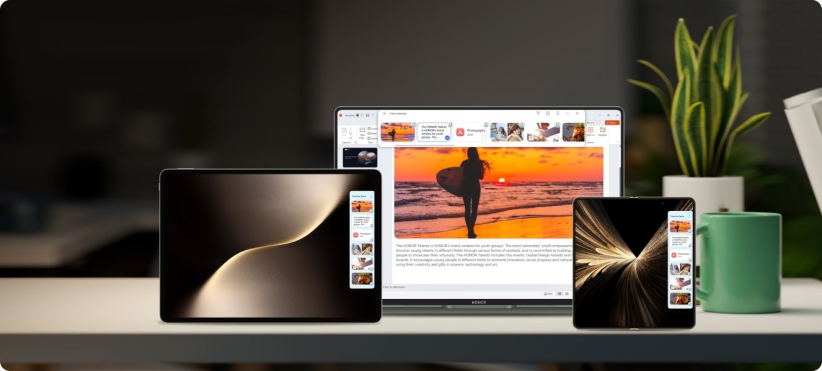
Reading is the first thing to change. On a laptop screen touch screen, scrolling a long article with a finger is easier than scrolling it with a trackpad, not because it is faster but because it is direct: the hand moves the page the way it moves a phone, and the motion lands exactly where the eye is. Pinch-to-zoom completes the pair, spreading two fingers over a dense page, a recipe or a photo library to get closer without touching a control. Both gestures arrive fully trained from years of phone use, so the learning cost is zero and the habit forms in a day. The screen simply inherits what the hands already know.
Quick Taps Without the Trackpad
The small actions are where the time goes. Pausing a video, selecting an option, closing a dialog or opening a bookmark each takes a tap on the screen and a small expedition on the trackpad, and the expedition is what touch removes. Across a working day these add up to less friction than any single moment justifies, which is exactly why they are hard to notice and easy to miss once gone. The habit forms fastest on machines that are easy to reach across, and weight matters there too: around a kilogram brings the screen within easy reach wherever the laptop sits. The keyboard work is untouched throughout; touch simply takes over everything that follows the typing.
Note-Taking and Meetings
Stylus Notes and Annotations
A stylus turns the screen into a notebook, and this is where touch stops being a convenience and becomes a capability. Handwritten notes, circled passages, arrows on a draft and sketches in the margin all land exactly where the eye is looking, which is how pen and paper always worked and how a keyboard never can. Reviewing a document with a pen in hand is a different activity from reviewing it with a cursor, and most people who try it keep the pen on the desk afterwards. The screen's quality matters here, because handwriting wants a display that shows the line cleanly, and a high-resolution touch panel is what makes the page feel like paper rather than glass.
Quick Signatures and Highlights
The shorter interactions are just as persuasive. Signing a form, initialling an approval or highlighting a clause takes seconds with a finger or pen, where the old routine meant printing, signing, scanning and filing. Meeting notes get the same treatment: a line under an action point, a star beside a decision, a date circled in the margin. These are tiny actions, and their value is measured in how rarely the paper route has to happen again, which is the quiet test of whether a feature has actually changed a routine.
Sharing and Presenting
Direct Interaction With the Screen
Sharing a screen changes when the screen can be touched. Explaining a chart becomes pointing at the chart, guiding a colleague through a document becomes tapping to the relevant line, and the cursor stops being the intermediary between what you mean and what they see. Meetings are where this pays off, because the person talking can also be the person showing, without reaching for the mouse or narrating their cursor across the page. The laptop stops being something you sit behind and becomes something you sit beside, and the difference is easiest to see in the moment a discussion turns to the screen and everyone simply leans in. Nothing has to be handed over and nothing has to be repeated, which is why the habit spreads through a team so quickly.
Easier Demos and Whiteboarding
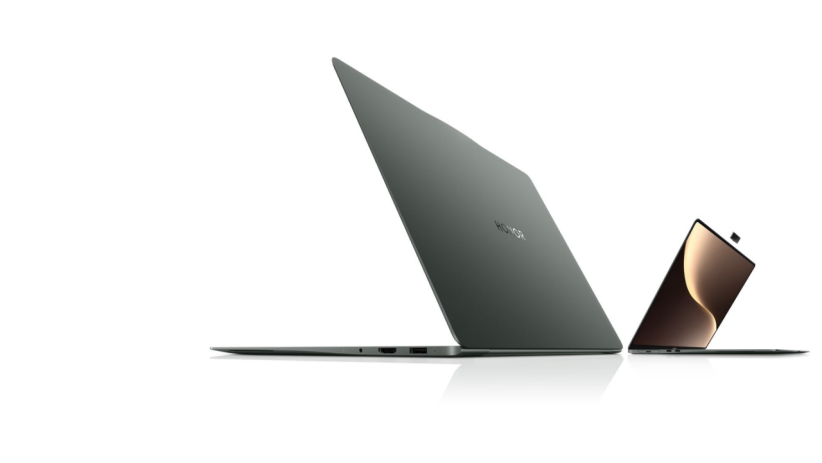
Demos and group sessions gain the most. Walking someone through an app is easier when you can tap the feature you are describing, and whiteboard-style tools turn the screen into a shared surface where a sketch, a list or a diagram appears as it is discussed. The hardware around the screen matters here too, since presenting to a video call is part of the same routine, and the HONOR MagicBook Art 14 2025 is built with it in mind: a 14.6-inch 3.1K OLED touch panel keeps a shared document sharp enough for everyone at the table to read, and a detachable 1080p magnetic webcam holds the camera at eye level and covers it when privacy matters. A demo the audience can follow clearly finishes the job the touch screen started, and the laptop feels designed for the meeting rather than brought to it.
Conclusion
Browsing, note-taking and sharing are the three places where a touchscreen changes daily laptop use, and the pattern behind them is the same: the distance between seeing and doing shrinks. None of it replaces the keyboard, and none of it should; the value is in everything around the typing. If your day has much of any of the three in it, the touch screen stops being a spec and starts being the way the laptop is used.
Popular Articles
- How Does a Touchscreen Change Daily Laptop Use?
- How Do You Choose a Tablet for Long Gaming Sessions?
- Which Phone Features Matter Most Day to Day?
- How Often Should the Average Person Upgrade Their Smartphone?
- Why Does Refresh Rate Matter Beyond Smooth Scrolling?
- What Makes a Smartphone Feel “Comfortable” to Use Daily?